Delete Account
You can delete your Breathe account at any time. The easiest way is directly in the app.
Delete in the App
- Open the Breathe app and sign in
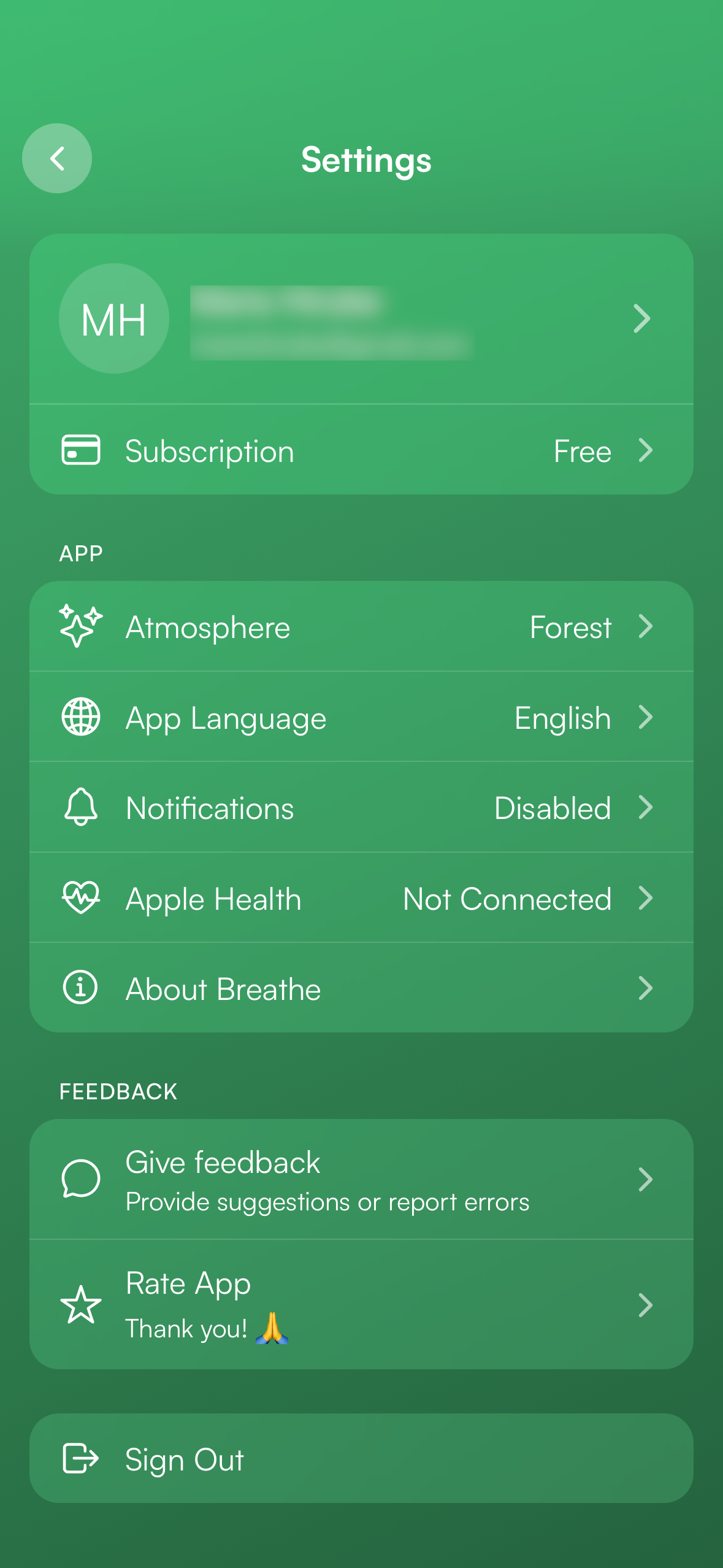
- Tap the menu icon (top left) and select "Settings"
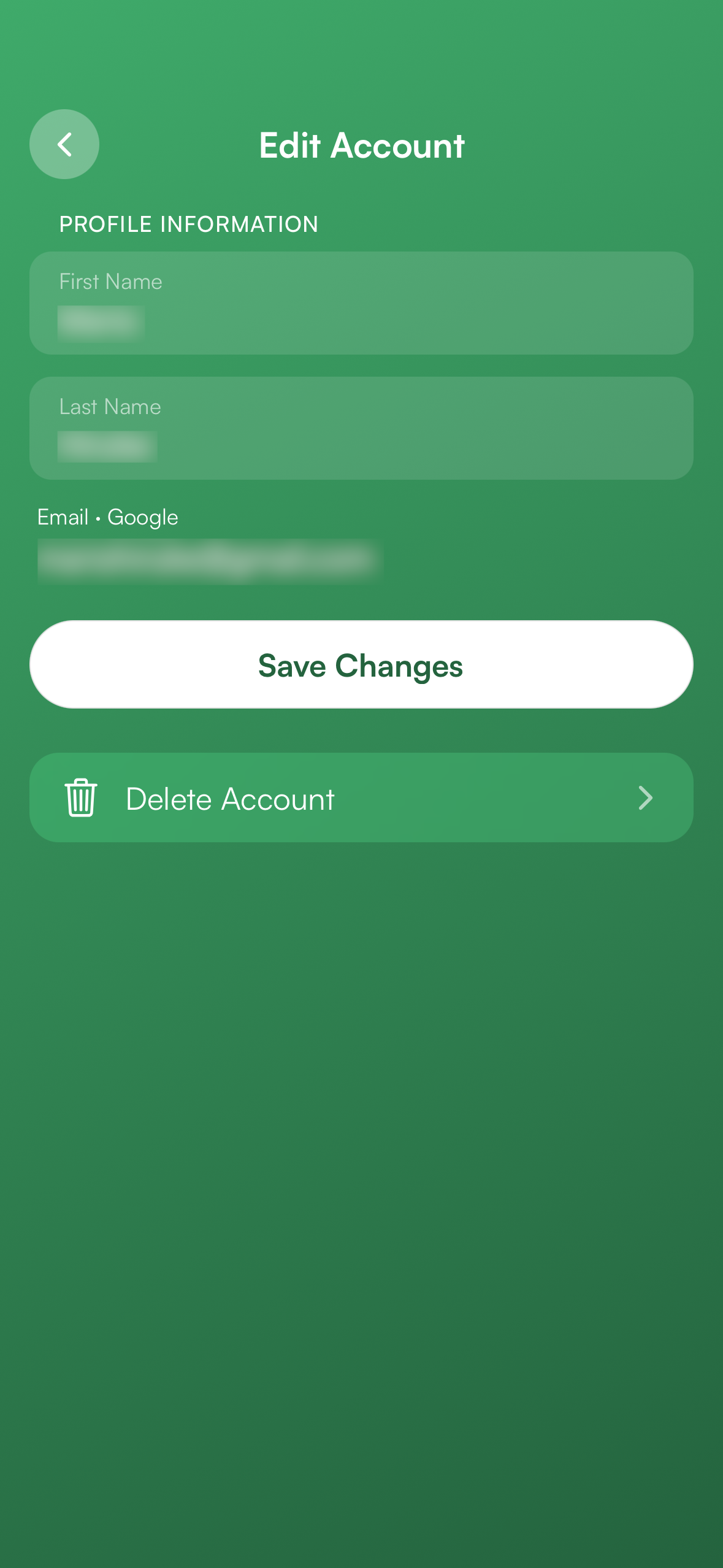
- Tap your account name to open "Edit Account"
- Tap "Delete Account"
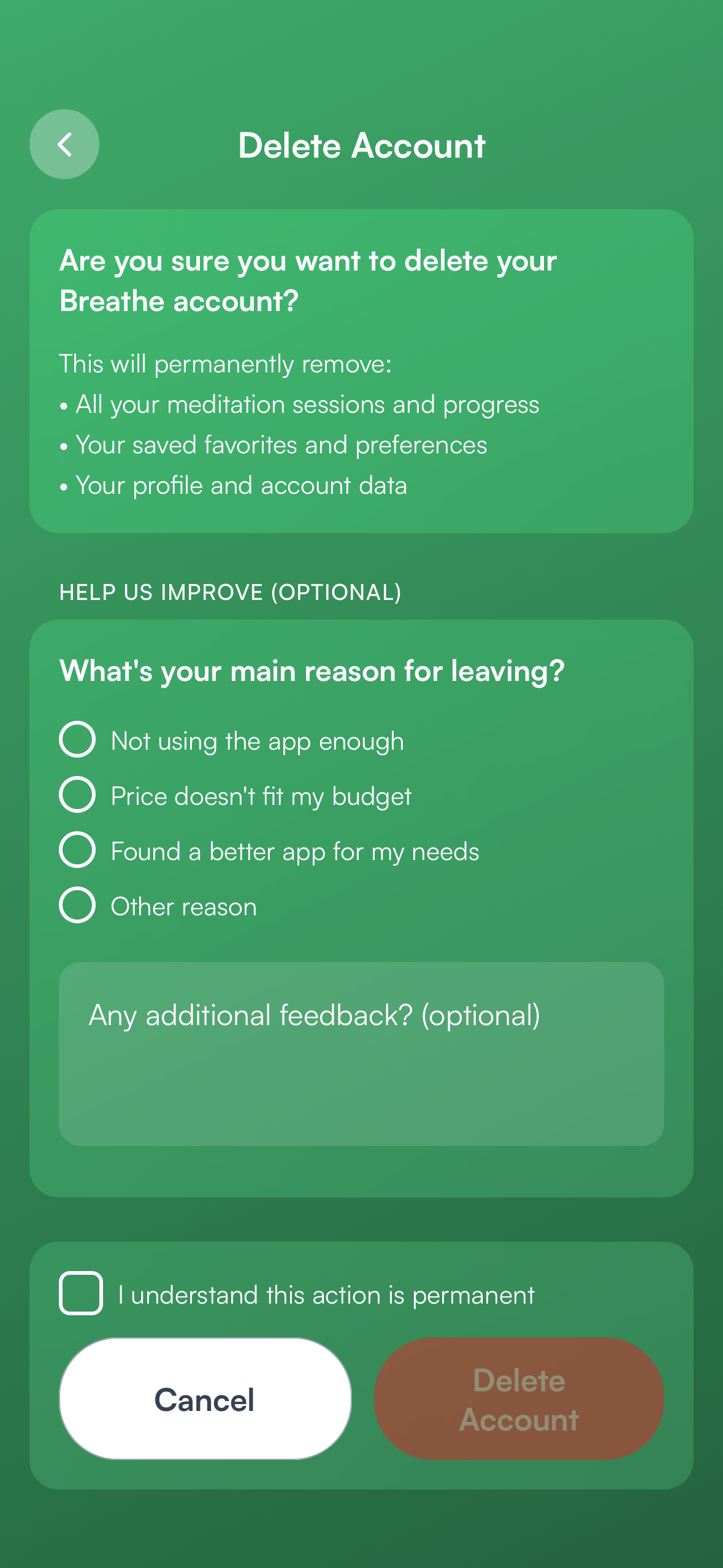
- Confirm with "I understand this action is permanent" and tap "Delete Account"
No access to the app?
If you no longer have access to the app, you can request deletion via email. Please send us a message from the email address you used to sign up:
[email protected]What happens to your data?
After deletion, all your meditation sessions and progress, saved favorites and preferences, and your profile and account data will be permanently removed. This action cannot be undone.